
Field Service Scheduling With Travel Time and Zones: Fit More Jobs Into the Day
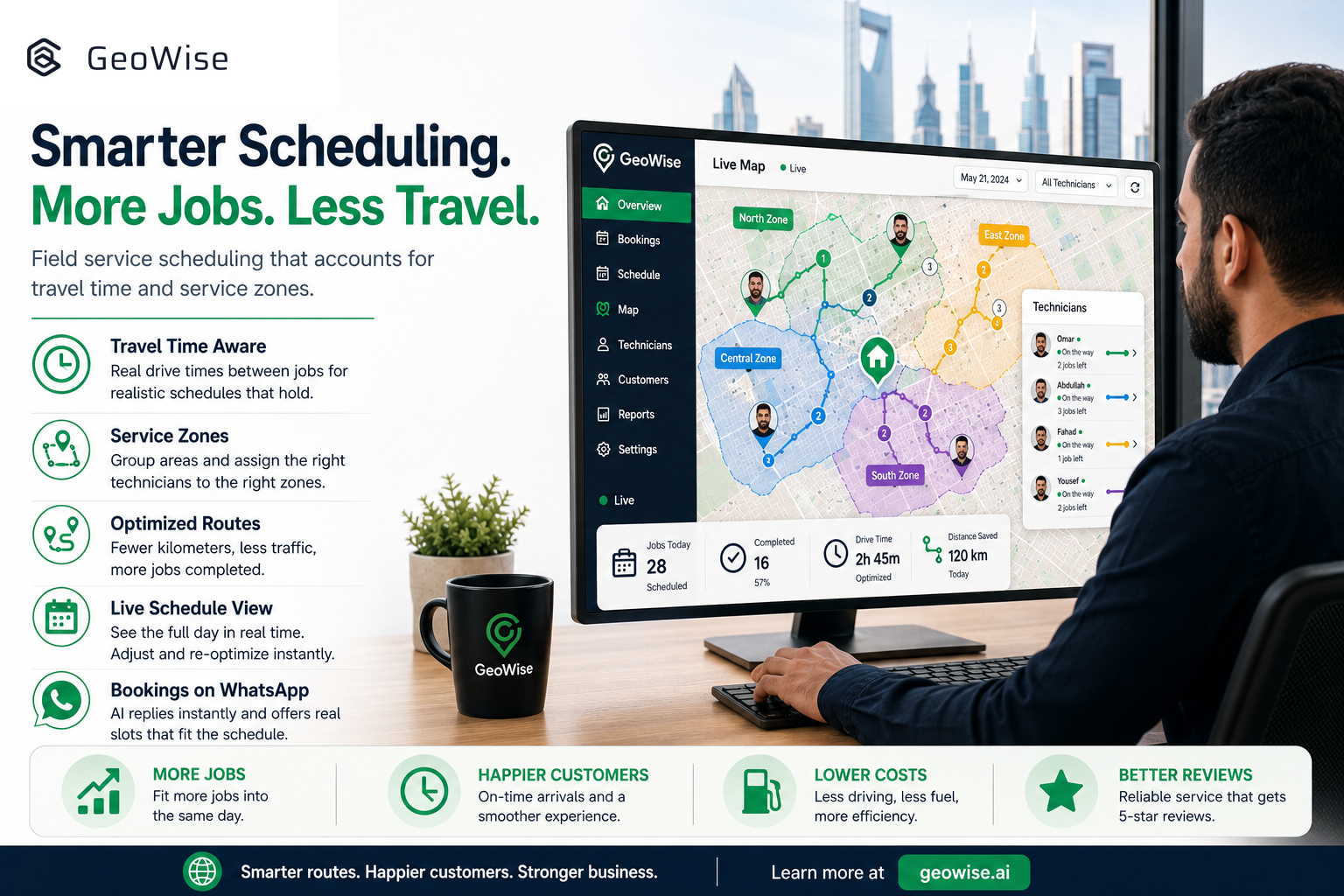
Picture a normal Tuesday for a home-service team in Riyadh. A cleaning crew is booked for a villa in the north of the city at 10:00, then a second job comes in for 11:00 on the far south side, then a third back near the first one at 12:30. On paper the calendar looks full and healthy. In reality the technicians spend more of their day in traffic than on the job, they arrive late, customers get annoyed, and by afternoon two appointments have quietly slipped to tomorrow.
This is the hidden tax that most home-service businesses in Saudi Arabia and the GCC pay every single day. It is not a shortage of demand and it is not lazy technicians. It is scheduling that treats every hour on the calendar as if the technician can teleport between addresses. The fix is field service scheduling that understands travel time and service zones, and it is one of the biggest levers you have for fitting more paying jobs into the same working day.
Why a Full Calendar Is Not the Same as a Productive Day
A booking calendar tells you when a job is supposed to start. It says nothing about whether the technician can physically get there. When you book back-to-back appointments across a sprawling metro like Riyadh, Jeddah, or Dubai, the gaps between jobs get eaten by driving, parking, and finding the right building. A schedule that looks 100 percent booked can easily be running at 60 percent productive time once the road is factored in.
The cost shows up in three places at once. Technicians finish fewer jobs than they could, so your capacity is smaller than the size of your team suggests. Customers get late arrivals and vague "the technician is on the way" messages, which is exactly the experience that produces bad reviews and cancelled contracts. And your dispatcher spends the whole day on the phone re-juggling a plan that was never realistic to begin with.
What Travel-Time-Aware Scheduling Actually Does
Smart scheduling starts from a simple idea: a technician's day is a route, not a list. When a new booking request comes in, the system should ask not only "is this slot free?" but "given where this technician already is at that time, does it make sense to send them here next?" That means looking at the physical distance and realistic drive time between one job and the next, not just the clock.
Done well, it clusters jobs that are near each other into the same part of the day, so a crew works a neighborhood instead of criss-crossing the city. It leaves realistic buffers so a 45-minute drive is not booked as a 10-minute gap. And it keeps the whole day feasible, so the third appointment does not collapse because the first two ran into traffic. The result is more completed jobs per technician, earlier finishes, and far fewer of those apologetic "we are running late" calls.
Service Zones: Structure Without a Rigid Map
Service zones are the second half of the picture. Instead of accepting any job anywhere and hoping it fits, you group your coverage area into zones and assign technicians or crews to the areas they can serve efficiently. A zone can be a district, a cluster of neighborhoods, or a natural boundary in the city.
Zones do a few useful things quietly. They keep each technician working a tighter area, which cuts travel time before the day even starts. They let you promise realistic arrival windows because you already know who covers where. And they make it obvious when a particular zone is getting more demand than it can handle, which is a much better signal for where to hire your next crew than a gut feeling. For businesses spread across several GCC cities, zones are what stop the schedule from turning into chaos as you grow.
Where the Booking Conversation Meets the Schedule
Here is the part most tools miss. In the GCC, the customer is not filling in a web form. They are messaging on WhatsApp, and they want an answer now. If your booking flow and your scheduling logic live in two separate systems, you get the worst of both: the AI or the agent promises a time, then the dispatcher discovers it does not fit the route, and someone has to call the customer back to move it. Every one of those callbacks is a chance to lose the job.
The booking conversation and the schedule need to be the same system. When a customer asks "can someone come this afternoon?", the reply should already reflect real availability that accounts for zones and travel time, so the slot offered is a slot that will actually hold.
How GeoWise Puts It Together
GeoWise is a WhatsApp Booking AI with dynamic scheduling built for exactly this problem. The AI replies to customers instantly in Arabic or English, understands what they need, and offers real available slots. Those slots are not guesses: dynamic scheduling accounts for service zones and travel time between jobs, so the time the customer confirms is one the technician can actually reach. Your dispatcher sees the day as a coherent set of routes instead of a wall of conflicting appointments, and your team finishes more jobs with less driving.
The fast first response that captures the customer and the smart routing that protects your team's time live in one flow, not two disconnected tools. If you want to see how many more jobs a realistic schedule fits into the same day, start a free trial at geowise.ai and watch a normal Tuesday get quieter and more productive at the same time.